
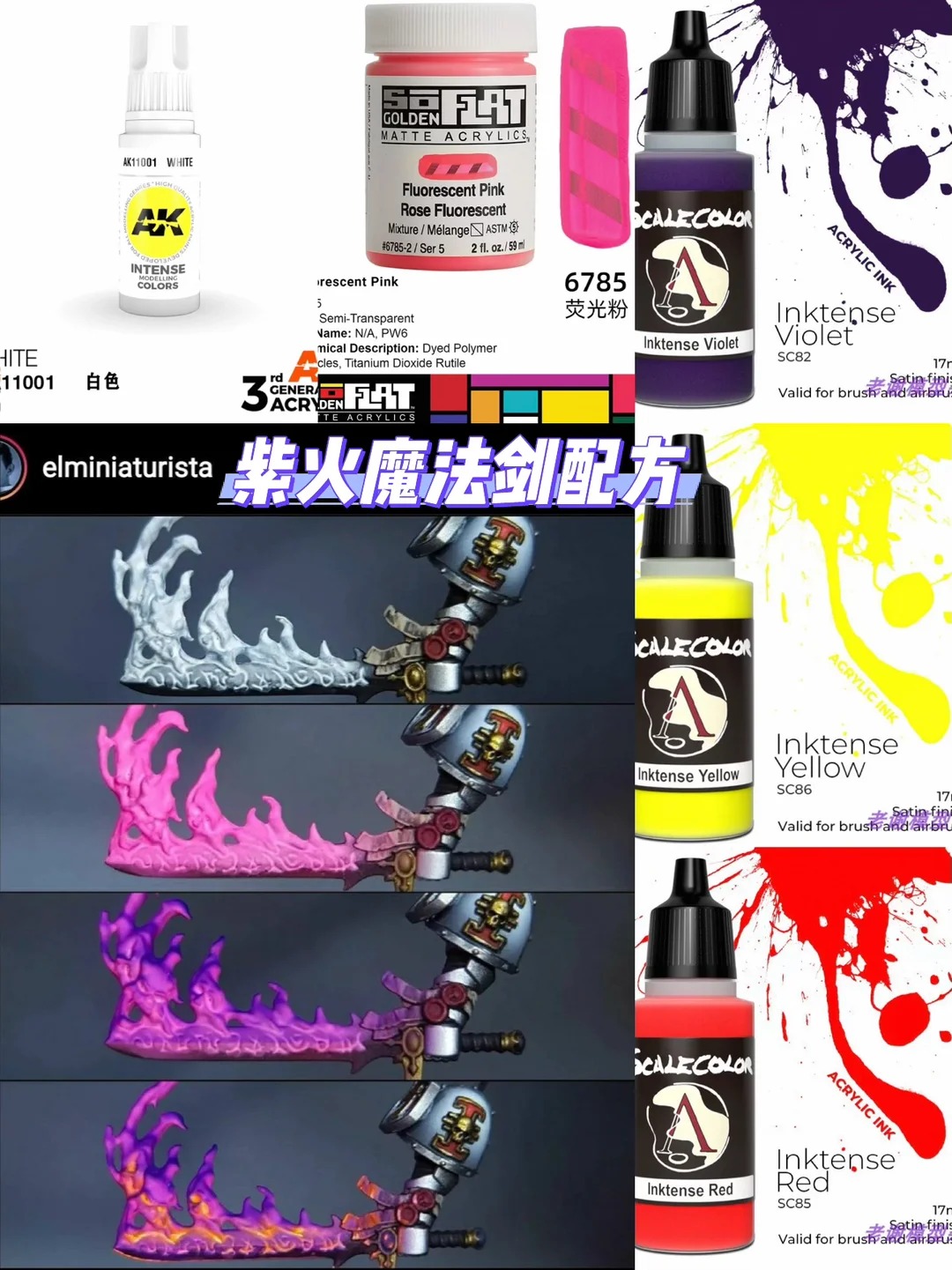

Inspiration from the Best
I discovered this purple flame sword technique from a recent piece — the effect was so striking I had to reverse-engineer it and share the process.
The SoFlat Advantage
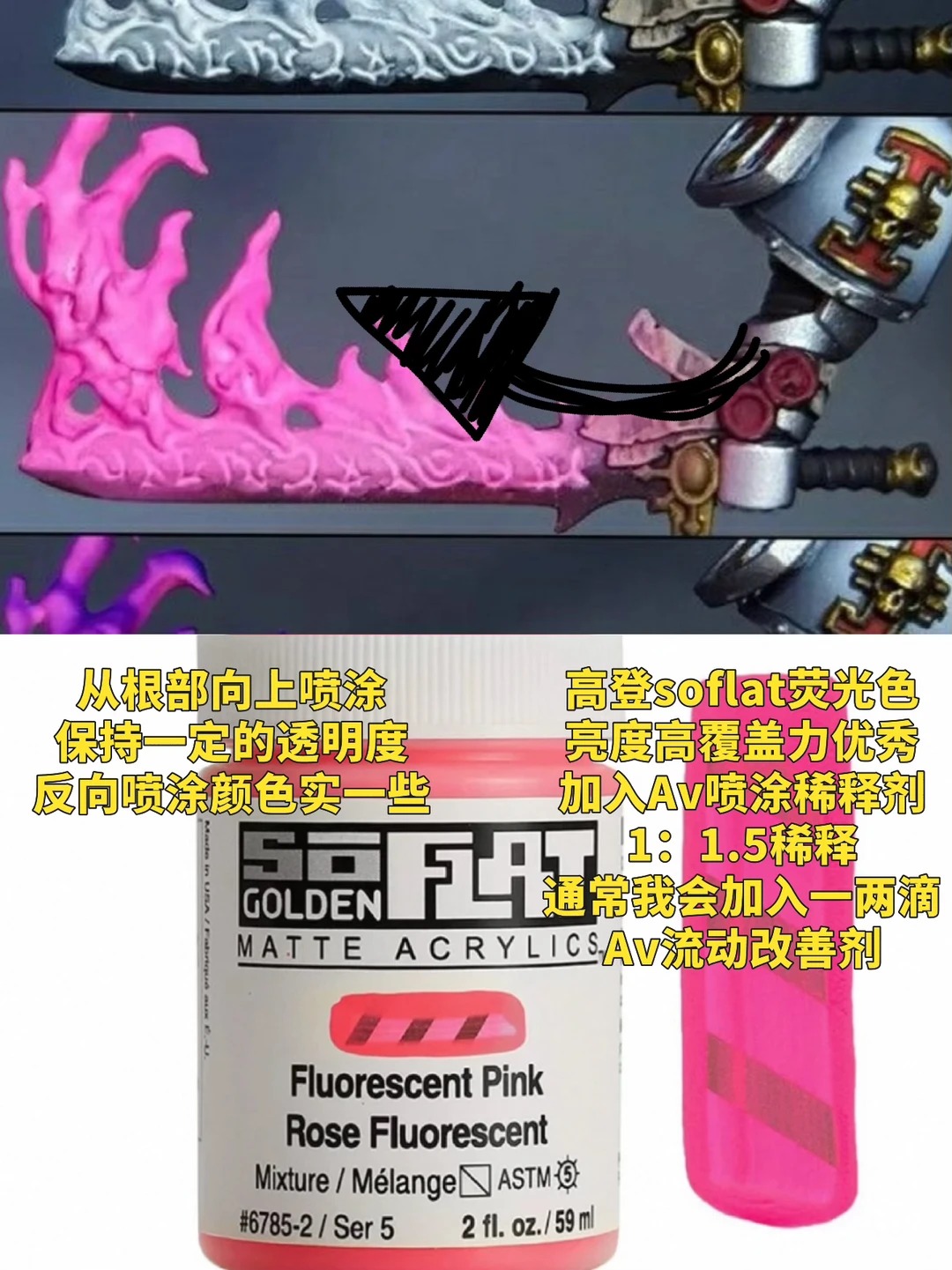
For the base colors, I use SoFlat acrylics. These paints have incredibly high pigment density and dry dead-flat — perfect for building the dark-to-light gradient that makes flames look real. The key is thin, translucent layers. Start with a dark purple base, then build up with increasingly lighter purple mixes.
SC75 Ink Magic
This is where the real magic happens. SC75 inks are gel-based and can be thinned with 95% alcohol instead of water. The alcohol breaks surface tension and lets the ink flow into recesses while leaving the high points clean. Apply SC75 purple ink over the SoFlat base in 2-3 thin passes. Each pass intensifies the color while maintaining the gradient underneath.
Alcohol vs Water
Never thin SC75 inks with water for this technique. Water causes pooling and tide marks. 95% isopropyl alcohol evaporates fast and leaves a perfectly even tint. Mix about 3:1 alcohol to ink. Too thin and it runs everywhere — test on your palette first.
Step-by-Step
Step 1: SoFlat Base
Dark purple over the entire blade. Let dry fully.
Step 2: Gradient Layers
Lighter purple mixes on the upper half of the blade. Then an even lighter mix on the top third.
Step 3: SC75 Ink Glaze
Thin SC75 purple ink 3:1 with 95% alcohol. Apply 2-3 passes, letting each dry completely.
Step 4: Edge Highlights
Pale pink-lavender on the blade edge. Pure white dot at the tip for the hottest point.
Step 5: Final Glaze
One more thin ink glaze to unify. Done.